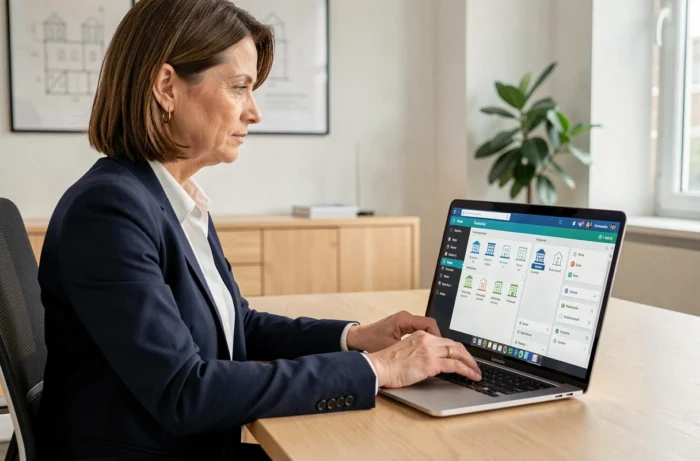
Orchestrav2 is the extranet portal developed by EGI Web for property managers and administrators. Access to the co-owner or tenant account relies on an activation initiated by the managing firm, not on free registration. This particularity generates recurring blockages that most online guides do not address: activation email never received, account linked to multiple co-properties, or change of property manager during the term.
Orchestrav2 activation email not found: common causes and solutions
The most common blockage scenario on Orchestrav2 is not a forgotten password. It’s an activation email that never arrives in the inbox.
Several factors explain this silence. The email address provided to the property manager may contain a typo, the message may be filtered by a spam filter, or the sending domain of EGI Web may be classified as unknown by the recipient’s mail server.
- Check the spam or junk folder, searching for the domain egiweb.net or orchestrav2 in the mail client’s search bar
- Contact the managing firm to confirm that the registered email address is correct and request a resend of the activation link
- Add the sending domain to the email whitelist before requesting a new send, to avoid a second filtering
- If the firm uses a generic address (like [email protected]) as an identifier, request a change to a personal address
Account activation involves setting a personal password distinct from the temporary identifier. Recent sources recommend checking the domain of the activation email before clicking the link, to rule out any phishing risk. A detailed guide on the Orchestrav2 client space for property managers outlines the steps for this first connection.

Orchestrav2 account linked to multiple co-properties: navigation and limits
A co-owner who holds lots in several buildings managed by the same property manager sometimes finds themselves with a single Orchestrav2 identifier linked to multiple co-properties. The platform hosted on the EGI Web subdomain manages this case with a selection menu after login.
The problem arises when not all linked co-properties are displayed. This happens when the property manager has not yet activated extranet access for one of the buildings, or when the declared email address differs from one co-property to another.
| Situation | Probable Cause | Action to Take |
|---|---|---|
| Only one co-property visible out of two owned | Different email addresses registered by the property manager | Request the harmonization of addresses from the firm |
| Full access to one building, partial access to another | Extranet not activated for the second building | Check with the property manager if the online setup has been completed |
| Documents visible but online payment unavailable | Payment module not subscribed by the property manager for this building | Confirm with the manager the scope of services activated |
In all cases, it is the property manager who controls the access scope, not the co-owner. The end user cannot add a co-property or modify rights from their interface.
Change of property manager and continuity of access to the extranet portal
When a general assembly votes to change the property manager, the question of continuity of access to Orchestrav2 arises immediately. The new firm may not necessarily use the EGI Web platform. If the outgoing property manager used Orchestra and the new one opts for another tool, the Orchestrav2 identifiers become inoperative as soon as the term ends.
The documents previously accessed on the portal are not accessible indefinitely. The data retention period depends on the data controller, that is, the property manager who subscribed to the service. Once the contract is terminated between the outgoing firm and EGI Web, access is cut off.
To avoid losing the history, it is useful to download the available documents before the new property manager takes office. The ALUR law requires the dematerialized availability of documents related to the management of the building, but this obligation applies to the current property manager, not to the former technical provider.
Data transfer to the new property manager
The outgoing property manager must transfer all accounting and administrative documents to the new manager. However, the technical transfer of data hosted on Orchestrav2 to another platform is not automatic. The new property manager retrieves the archives in the form of files, then integrates them into their own extranet tool.
If the new firm also uses Orchestra, the migration may be smoother, but it still requires a new activation on the user side. The old identifier will not be reused: a new account is created with new login parameters.
Securing the Orchestrav2 account: password and verifications
The Orchestrav2 portal handles sensitive personal data (fund calls, charge statements, bank details for online payment). Securing the account from the first connection conditions the reliability of access over time.
Three precautions reduce the risks of future blockage:
- Choose a password different from the temporary identifier provided by the property manager, combining letters, numbers, and special characters
- Use a personal email address rather than a professional one that may change if leaving the company
- Keep the exact URL of the portal (subdomain egiweb.net) in favorites to avoid fraudulent login pages
The processing of data collected on the identification form is governed by the provisions related to the ALUR law. The recorded information is used for the publication of data in a secure extranet, for both co-owners and tenants.
An account whose email address becomes invalid (change of provider, closure of mailbox) blocks any reset procedure. Updating the address with the property manager remains the only recourse in this case, as the user cannot modify their reference email on the platform themselves.